A while back I was having a conversation with someone, and for reasons I will never comprehend the conversation ended up here:
R: You could easily build a sous vide controller using a Raspberry-Pi and a cheap kettle.
Me: You don’t actually need a Pi, an Arduino or something like it will do the job just fine.
Me: Although, if you did use a Pi, you could build a sous vide machine with a web interface… and WiFi… and BlueTooth…
And then conversation carried of on some absurd tangent about how stupidly simple it would be to add all sorts of completely absurd features that no-one needed or asked for.
So here we are, building the world’s most unnecessarily over complicated sous vide machine.
On a (slightly) more serious note.
This project is my no stretch of the imagination supposed to be a serious, elegant, efficient or even sane solution.
If you want a how-to article on building a thermal controller… this isn’t it.
So what’s the plan.
I’m going to document this project as a series of articles. Each article will focus on some feature or building block that I’ll be adding to the puzzle.
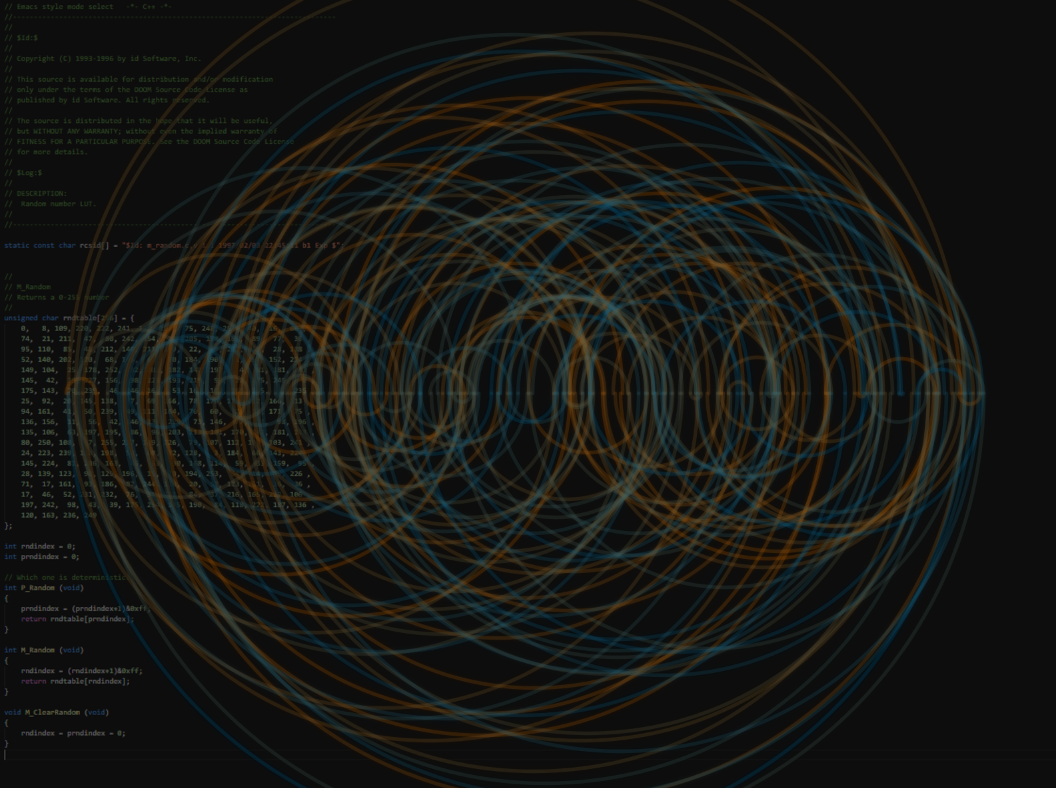
When setting up this blog I was prompted to select a cover image that people will see when they land here. And the default image of some forested mountains (pretty as it may be) doesn’t really convey what this blog is about.
So I started searching for some images that will give this blog some identity… Searching a stock image library, for something that expresses your identity… Time to change tack.
So I decided the best thing to do here is to roll my own, and the thought process went something like this:
Let’s create something with some source code in it.
But what source?
It needs to be something famous, special and or recognizable.
What about some Doom source?
Yes! The PRNG (Pseudo Random Number Generator)!
But we need some interesting imagery to go with that.
Cool, well generate some visual representation of that sequence, and overlay it somehow.
But how?
Processing! I recently saw some fun videos about that and I haven’t touched Java in ages.
Getting the source
That’s easy. The Doom source is freely available on GitHub : https://github.com/id-Software/DOOM. (By the way here is a video discussing the inner workings of the Doom PRNG. Very interesting watch, I highly recommend it.)
So I downloaded the Doom source, and opened the PRNG code in Visual Studio. Zoomed all the way out, grabbed a screen shot, and pasted it in Gimp. That’s a start but now what?
Generate a visual representation of the PRNG sequence.
First things first. I haven’t used Java in ages but I’ve been watching a lot of The Coding Train‘s video’s, and it seems like Processing would be perfect for what we are trying to achieve.
So what’s the plan?
Generate a number line, ranging from 0 to 255 (the PRNG only spits out values in this range)
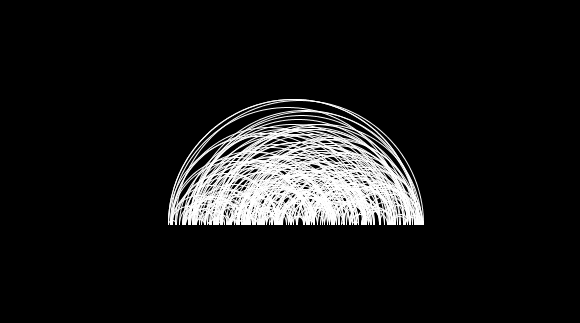
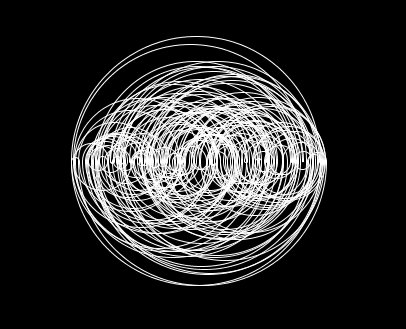
That’s a start, but it’s very cluttered. Let’s draw every other semi-circle below that number-line.
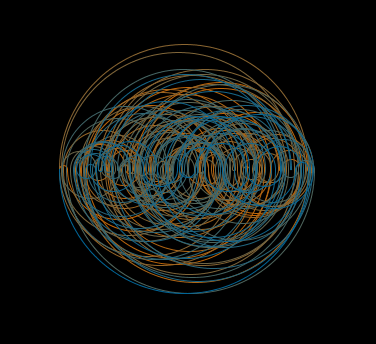
Much better, now add some color.
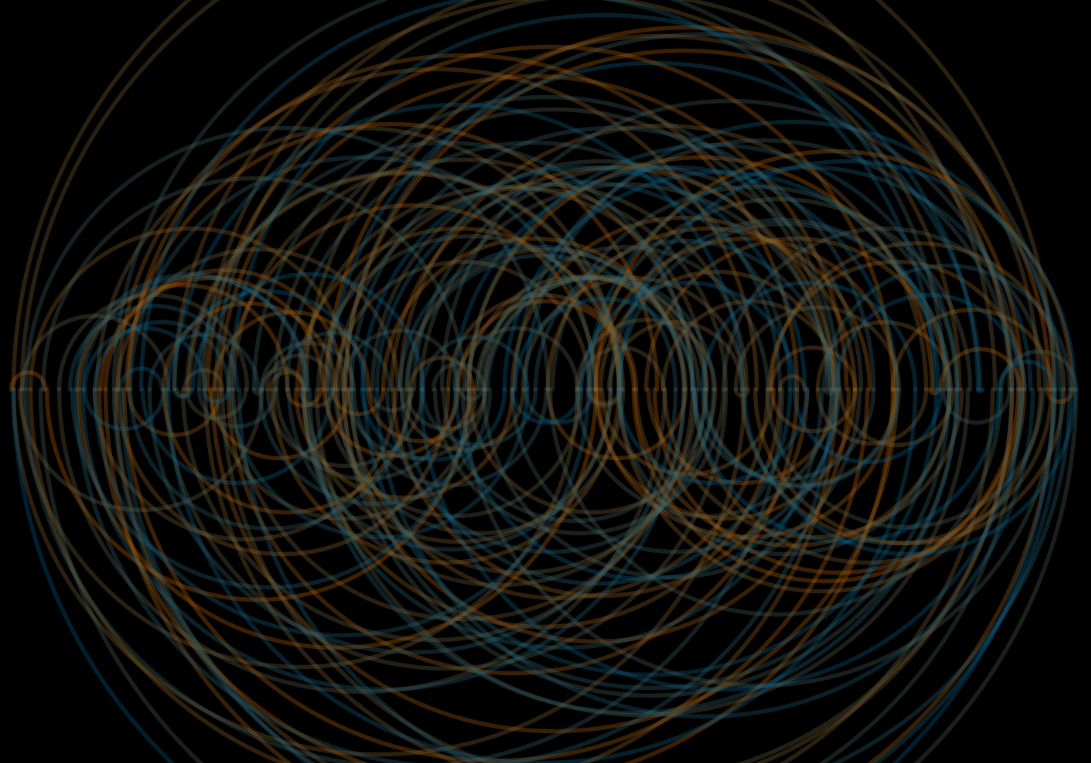
Now scale it, and add some alpha.
The source
int table[] = {};//this is initialized with the values from the doom PRNG table, but omitted here for the sake of brevity
int count = table.length;

// set image resolution
size(1600, 1200);

// clear the background with black.
background(0);

// set the line thickness to 1px. (the line thickness is also scaled up when we apply image transforms.
strokeWeight(1);

// shift the co-ordinate system to make the math in the main loop more understandable.
translate((width)/2,height/2);

// scale the co-ordinate system so that the number line fills 90% of the width of the window.
scale(width/count*0.9);

// we don't want to fill our semi-circles, so 'noFill'
noFill();

// set the transparency level of the semi-circle.
// a bit of trial and error was involved here.
// 80 gave me an aesthetically pleasing result.
int alpha = 80;

// here we define a start and an end color.
// the lerpColor function in the main loop will interpolate a point between these colors, depending on how far along the loop we are.
color from = color(204, 102, 0,alpha);
color to = color(0, 102, 153,alpha);

// loop from 0 to the end of the table (255 in this case)
// this loop will draw a semi circle between the locations indicated by i and j.
// where i is the current value, and j is the next value in the table
for(int i=0;i<count;i++){
  // calculate j. j will be i+1
  // except when i is the last element in the table, then j will be zero.
  // (This will add a final loop back to the first value, since this is a repeating sequence.)
  int j = (i+1)%count;

  // get the values for the indices i and j.
  int v1 = table[i];
  int v2 = table[j];

  // calculate the distance between v1 and v2.
  // we use 'abs' to get the absolute value since we want the distance to be positive
  int d = abs(v1-v2);

  // calculate the x co-ordinate of the semi-circle.
  // take the smaller of v1 and v2.
  // add half the distance to get the center point.
  // offset it with half of the count to line it up.
  // P.S. I got to this solution with trial and error, because lazy.
  int x = (v1<v2?v1:v2)+(d-count)/2;

  // calculate and set the color for this semi-circle
  stroke(lerpColor(from, to, (float)i/count));

  // this if-else draws every other semi-circle below the number line.
  // this is achieved by using different start and end angles.
  if(i%2==0){
    arc(x,0,d,d,PI,TWO_PI);
  }
  else {
    arc(x,0,d,d,0,PI);
  }

}

// and save the frame to file.
saveFrame("frame.png");
Putting it together
I then used GIMP to combine the image of the source and the visual representation of the series to come up with the final result. But the details around that is a story for another day.
A good plan violently executed now is better than a perfect plan executed next week -George S Patton
I am a curious person that likes learning new things. I love taking on random projects to practice new the things I learn. I love the open source community (or rather communities) for all the tools and information that are made available for everyone else to use and be inspired by!
I do, however, suffer from a condition common to the curious among us… I very rarely finish anything. The moment a newer thing comes across my way I ditch the current project and jump on the exciting new thing. And lately that’s been bugging me.
Why is that a problem? Because, the open source and knowledge share communities teach me a lot. Skills and techniques that are very useful to me in both my professional and personal lives. But I never give anything back. Which is where this blog comes in…
This blog is a platform where I can share my meanderings with others. Maybe someone finds the randomness interesting. Maybe someone gets an idea and creates something useful. Maybe I’ll actually complete a project with the support, that might, and the judgement, that will, come with sharing my projects on a public forum. Maybe I can teach someone something. And maybe, if I’m very lucky, someone might draw some inspiration from what I do.
 Never Don't Explore